— WhatsApp chat
A WhatsApp chat button for your website
A small button in the corner of every page. One tap opens WhatsApp with a chat to your business and a first message already written, so an enquiry takes a second instead of a form. The messages land on your phone like any other chat.
What you get
- A button on every page. Sits in the corner without covering content, on phones and computers.
- A message ready to send. Pre-filled, for example "Hi, I found you online. Could I get a quote?"
- Straight to your phone. No chat software, no inbox to check. It is your normal WhatsApp.
- Works on computers too. On a laptop it opens WhatsApp on the web or the desktop app.
- Your number, your words. Change the number or the message any time on your monthly update.
Why customers use it
Plenty of people would rather send a message than make a call or fill in a form, especially on a phone. A chat button meets them there, and you get their number the moment they message.
Unlike a live-chat widget, nobody has to sit at a computer waiting for it. You reply when you can, from wherever you are.
How it works
Send us your WhatsApp number
The number customers should reach, and how you want the first message worded.
We add the button
Placed and styled to match your site, on every page.
Customers tap and send
The chat opens on their phone with your business and the message ready to go.
How much does it cost?
Live chat / WhatsApp button
A one-tap message button on every page of your site.
Every add-on sits on top of the base website plan — see the current plan price. No setup fee, billed month to month, all prices NZD.
See it on a live site
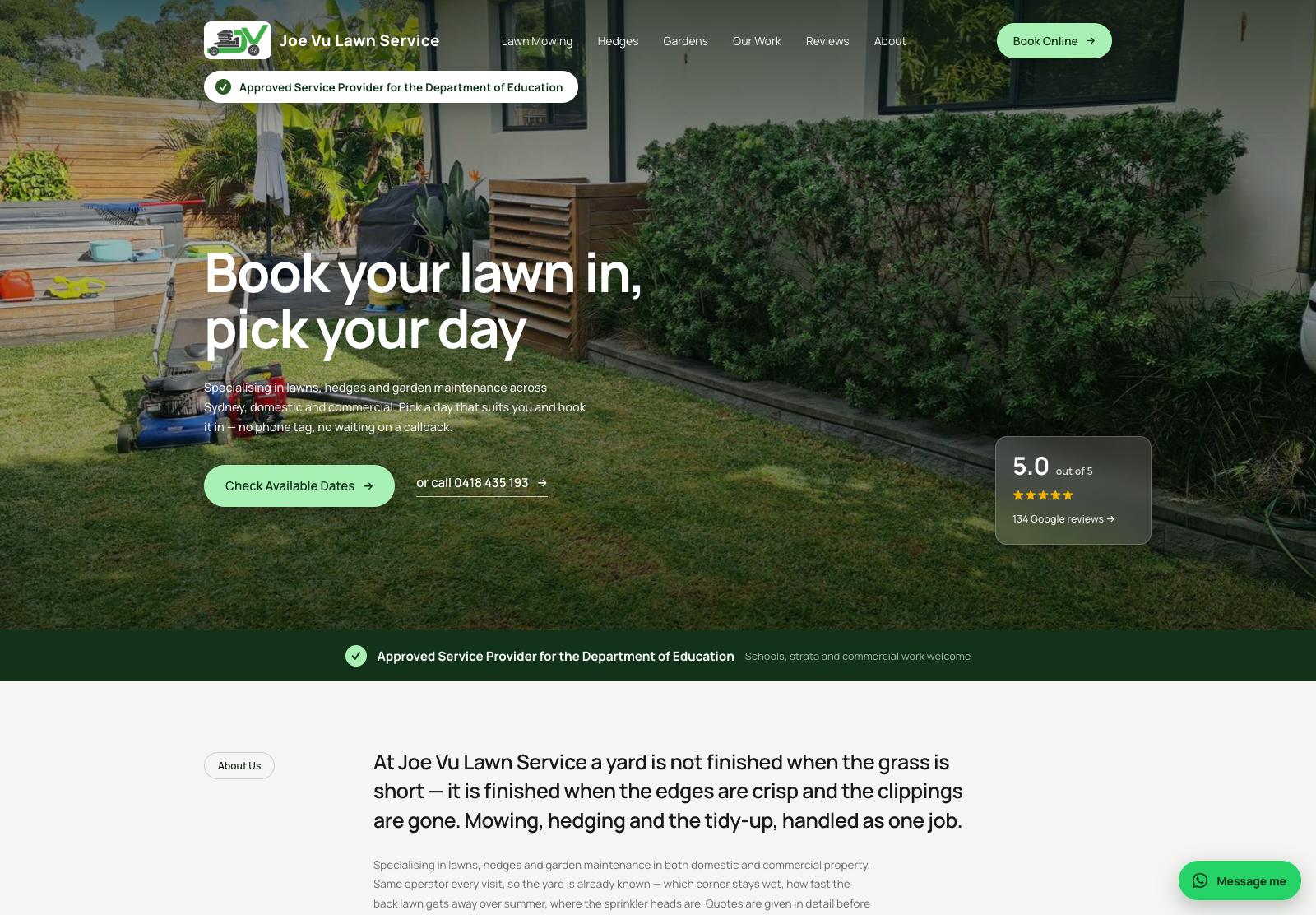
Joe Vu Lawn Service
A lawn-care business site built page by page around the searches its customers make: one page per service, each with its own suburb-targeted title, photos of real jobs and live Google reviews.
See the live site →Common questions
Do I need WhatsApp Business?
No. It works with a normal WhatsApp number. WhatsApp Business adds extras such as away messages if you want them.
Does my customer need WhatsApp?
Yes, to chat. Customers without it can still call or use your contact form, which stay on the site.
Can it go to a different number from my phone line?
Yes. Any number with WhatsApp on it works.
Will it slow the site down?
No. It is a small link, not a chat program, so nothing extra loads.
Related services
Want enquiries straight to your phone?
Send us your WhatsApp number and we'll add the button to your site.