Guides / App development
Getting past Apple's App Review: what our rejections taught us
The most common reason our own apps were rejected was not a bug. It was that Apple's reviewer could not see the app working. Hoopium, our basketball app, was rejected several times because its court features only had courts in New Zealand, and the reviewer was not in New Zealand. The fix was a test court the reviewer could reach. The wider lesson is to give the reviewer everything they need to use every feature, and to submit the simplest solid version first.
- Give the reviewer a way to use every feature from wherever they are: a demo account, a demo mode, or test data they can reach
- Submit the simplest solid version first, then add the big features in updates
- Apple says most reviews finish within two days, but our first submissions took two to three weeks
Why was Hoopium rejected?
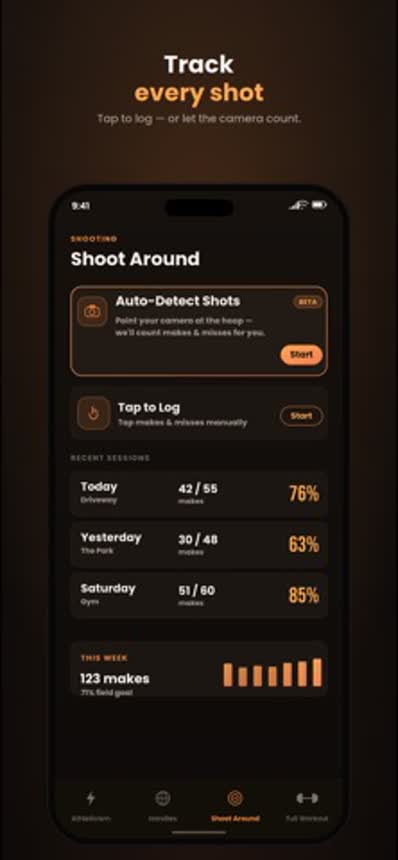
Location features are often the hardest part to get through Apple's review. Hoopium lets a player check in to a basketball court, see who else is there and find a game. Every court in those community features was in New Zealand.
Apple's tester was not in New Zealand. From where they sat, the map was empty, check-in did nothing, and the core community features looked unfinished. The app was rejected, more than once.
Nothing was broken. The reviewer simply had no way to reach the part of the app that mattered. Apple's guidelines put that responsibility on the developer:
If your app includes account-based features, provide either an active demo account or fully-featured demo mode, plus any other hardware or resources that might be needed to review your app.
A court you can stand on is a resource needed to review the app. We had not supplied one.
How did we fix it?
We set up a test court the reviewers could reach, so they could try check-ins and the community features for themselves. With somewhere to check in, the features worked in front of them, and the app was approved.
The same thinking applies to any feature that depends on where the user is, who they are, or what they own:
| If your app needs | Give the reviewer |
|---|---|
| A location | Test data they can reach from anywhere, and a note saying where it is |
| An account | A demo login in the review notes, already set up with content |
| Another user to interact with | A second demo account, or a demo mode that plays the other side |
| Hardware, such as a sensor or a QR code | A sample code, a video of it working, or a simulated device |
| A paid feature | A way to reach it without paying |
How long does App Review really take?
Apple's published figure and a first-time developer's experience are different things, and both are true.
What a first review took in our own experience, counting rejections and resubmissions. Our experience
Apple says App Review "works around the clock, typically reviewing at least 50% of submissions in less than 24 hours and 90% in less than 48 hours." That matches what we see for updates to an app that is already live.
The first submission is different. It is the slowest and the most likely to be rejected. In our experience a first review can take two to three weeks from first upload to approval, because each rejection means a fix, a new build and another wait. Plan your launch date around that, not around the 48 hours.
Why should you ship the simplest version first?
Because every feature in a first submission is another thing a reviewer can question, and you do not yet know what they will question.
Get a simple, solid, working version approved first, then roll out the big features through updates. Once an app is live, updates are reviewed faster in our experience, and a problem with one new feature does not hold up an entire launch.
Version one
The core of the app, working end to end. Nothing half built.
Approval
The slow review happens once, on a small target.
Updates
Location, multiplayer, payments and other big features follow, one at a time.
This also suits the business. A small first version reaches real users sooner, and what they do with it tells you which big feature to build next. We cover the rest of the process in how to publish an app on the App Store.
What should you check before you submit?
Apple's guidelines open with a list of things to do before submitting. These are the ones that have caught us or that the guidelines name directly:
- Every feature can be reached by a reviewer, wherever they are.
- Demo account details are in the review notes, and the account has content in it.
- Backend services are switched on and reachable during review.
- No placeholder text, empty pages or test content anywhere.
- The app does not crash on a clean install.
- Non-obvious features are explained in the review notes.
- In-app purchases are complete, visible and working.
- The privacy policy link works and matches what the app collects.
- Your contact details are current, in case App Review needs to reach you.
The review notes field is the most underused part of the submission. A few sentences telling the reviewer where to tap and what they should see prevent most misunderstandings.
What should you do if your app is rejected?
Read the message twice. It names a guideline and usually describes what the reviewer saw. Then:
- Reproduce what they saw. Use a clean install, a new account, and a location outside your own if location matters.
- Work out whether it is a bug or a misunderstanding. Ours were misunderstandings: the feature worked, but not for them.
- Reply in App Store Connect. A short, polite explanation with steps and a demo login resolves many rejections without a new build.
- Fix and resubmit if something does need changing, and say in the notes exactly what changed.
- Appeal only if you believe the guideline was misapplied. Apple provides a process for it.
Do not take it personally, and do not resubmit the same build hoping for a different reviewer.
Does the framework you build with affect review?
Not in our experience. Apple reviews what the app does, not what it was written in. Most of our apps are built in Flutter, namely Hoopium, Boxerium, Quizerium and HostMaster, and they go through the same review as a native Swift app such as Singium. See Flutter vs native apps.
Getting onto Google Play has its own hurdle for new developers, which we cover in Google Play's 12-tester rule.