Guides / App development
Flutter or native: how should your app be built?
For most business apps, a cross-platform framework such as Flutter is the sensible default: one codebase produces both the iPhone and the Android app, which usually means less to build and less to maintain. Native development, in Swift for iPhone and Kotlin for Android, is the better choice when the app leans hard on device features such as real-time audio, advanced camera work or the newest platform features.
- Flutter: one codebase for iPhone and Android, with less to build and maintain
- Native: best for real-time audio, advanced camera work and the newest platform features
- Whichever you choose, make sure you own the source code
What is Flutter?
Flutter is a free, open-source toolkit from Google for building apps. In its own words, it lets you "build apps for mobile, web, desktop, and embedded devices — all from a single codebase."
In practice, a developer writes the app once, in a language called Dart, and Flutter produces an iPhone app and an Android app from it. Flutter draws its own buttons, lists and animations, so the app looks the same on both. The results are ordinary apps: they are submitted to the App Store and Google Play like any other, and users cannot tell which tools were used.
What does "native" mean?
A native app is written with the tools each phone maker provides. For iPhone that is Swift, in Apple's Xcode. For Android it is Kotlin, in Android Studio.
Native apps have direct access to everything the phone can do, on the day Apple or Google releases it. The cost is that an iPhone app and an Android app are two separate pieces of software. They share a design and perhaps a backend, but the code is written twice, often by different people, and every later change is made twice.
What does cross-platform mean?
It is the general term for writing one app that runs on several platforms. Flutter is one such framework. React Native, from Meta, is the other common one. Both are widely used, including by large companies.
It does not mean a website in a wrapper. That is a different and much weaker approach, and Apple turns such apps down. A Flutter or React Native app is a real app.
Is a cross-platform app cheaper to build?
If you want both iPhone and Android, usually yes. The screens, the logic and the connection to the backend are written once. With many developers in New Zealand listing rates of $100 to $199 an hour, not writing everything twice is the biggest single saving available.
It is not half price. Each platform still needs its own testing, its own store listing and review, and some platform-specific work for things like notifications, sign-in and payments. A fair expectation is noticeably less than two native apps, not the cost of one.
If you only ever want an iPhone app, the saving disappears, and native Swift is a perfectly good choice.
We break down what drives the total in how much it costs to build an app in NZ.
Is it cheaper to maintain?
This is where one codebase pays off most. A bug fix or a new feature is done once and goes out to both stores. With two native apps, every change is made twice, and the two versions tend to drift apart over time.
The trade-off is a dependency. A Flutter app relies on Flutter and on community-written plugins for some phone features. When Apple or Google changes something, you wait for those to be updated, or your developer does the work themselves. For mainstream features the wait is short. For unusual ones it can hold up a release.
Will users notice the difference?
For most apps, no. Forms, lists, maps, bookings, chat, payments and dashboards feel the same either way. Flutter describes its apps as using hardware-accelerated graphics, and scrolling and animation are smooth on current phones.
Where a careful user might notice: Flutter draws its own interface, so small details can differ from the system's own controls, and a brand-new look that Apple introduces does not appear in a Flutter app until Flutter adds it. Flutter apps are also a little larger to download.
When is native the better choice?
- Real-time audio or video processing, where delays of a few thousandths of a second matter.
- Advanced camera work, such as analysing live frames or using on-device machine learning.
- Heavy use of the newest platform features, such as widgets, watch apps, augmented reality or health data, especially in the first months after they are released.
- An app for one platform only.
- Demanding games, which normally use a game engine and not either approach here.
- Deep system integration, such as custom keyboards or background services with strict battery limits.
These can sometimes be done in Flutter by writing the difficult part natively and connecting it. Past a certain point, that is more work than writing the whole app natively.
When is Flutter the better choice?
- You need both iPhone and Android from the start.
- The app is mostly screens, forms, lists, accounts and data: bookings, ordering, tracking, a customer or staff tool, a small marketplace.
- The budget is fixed and you would rather put it into features than into a second codebase.
- You want one developer or one small team to own the whole thing.
- You may want a web or desktop version from the same code later.
This describes most apps that businesses ask for.
What do we use?
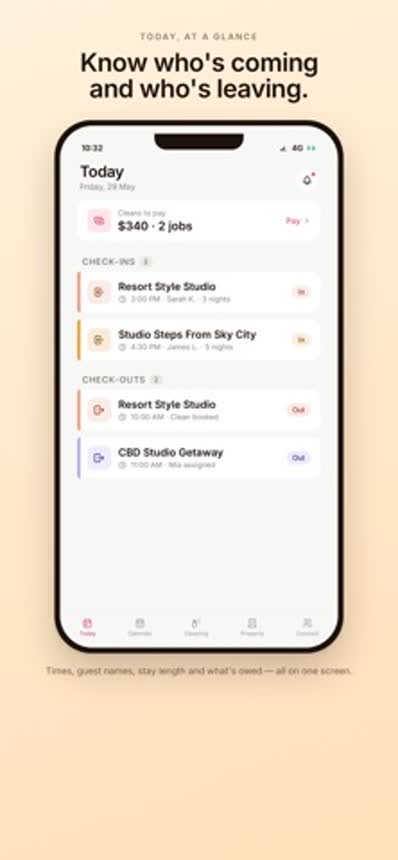
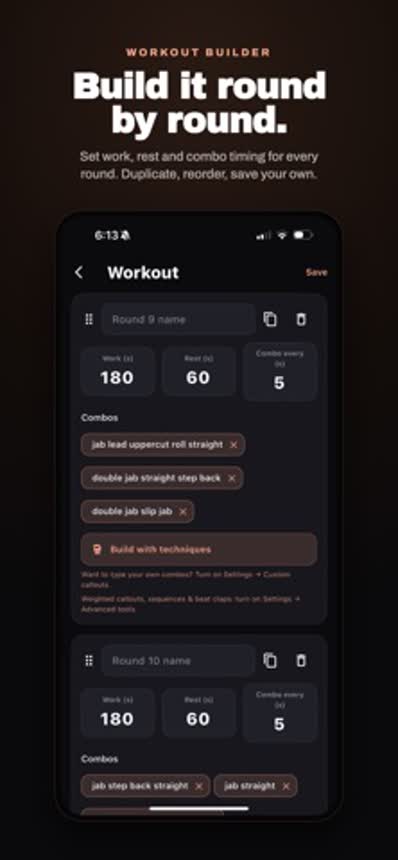
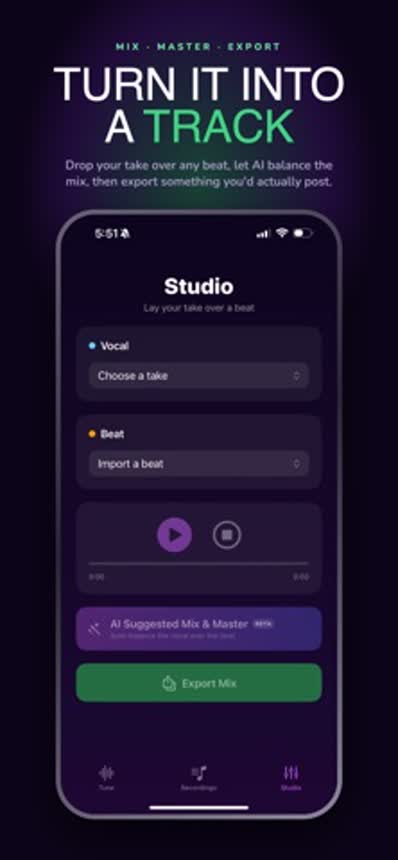
Both, depending on the app. As our app development page says, we build cross-platform with Flutter when one codebase serves both stores well. That is how HostMaster, our rental management app, is built, and how Boxerium shipped on both iOS and Android. We use native Swift when the app demands it: Singium, our vocal app, processes audio in real time, which is the kind of work native suits.
We mention it because it is the honest shape of the answer. Neither approach is the best in general. Each fits certain apps.
Does the choice lock me in?
Less than people fear, on one condition: you own the source code. With the full code in your hands, any competent developer with the right skills can take over, whichever framework was used. Make sure the contract says the code is yours and that you receive the repository, not just the finished app.
What is expensive is changing your mind later. Moving from Flutter to native, or the other way, is a rewrite, not a conversion. It is worth getting the decision right at the start, which mostly means being clear about which device features the app really depends on.
The store accounts matter as much as the code. See how to publish an app on the App Store for why the app should be listed under your account and not your developer's.
What should I ask a developer?
- Which approach do you recommend for this app, and why?
- Which features here would be harder in a cross-platform framework?
- Which apps have you shipped with it that I can download?
- Do I get the full source code and the store accounts?
- Who maintains it after launch, and what does that cost?
- If we add a web version later, how much of this carries over?
A developer who only works one way will recommend that way for everything. One who has shipped both can tell you which your app needs. And before any of this, it is worth checking that an app is the right tool at all: see app vs website.