Guides / Web design
What pages does a small business website need?
Most small business websites need five kinds of page: a home page, a page for each service or product group, an about page, a contact page, and a privacy statement. Add a page of past work or reviews if you have the material. Start there, and add more only when there is a real search or a real customer question behind each one.
- Home, a page for each service, about, contact and a privacy statement
- One service per page, so each can rank for its own search
- Add a blog, gallery or area pages only when you have real material
What should the home page do?
Answer three questions within a few seconds: what do you do, where do you do it, and how does someone get hold of you. A visitor who has to scroll to find out whether you cover Porirua will leave.
A good home page has a plain headline with your trade and area, one clear action such as "Get a quote" or "Book online", a short list of services that each link to their own page, some proof such as reviews or photos of real work, and your phone number where a thumb can reach it.
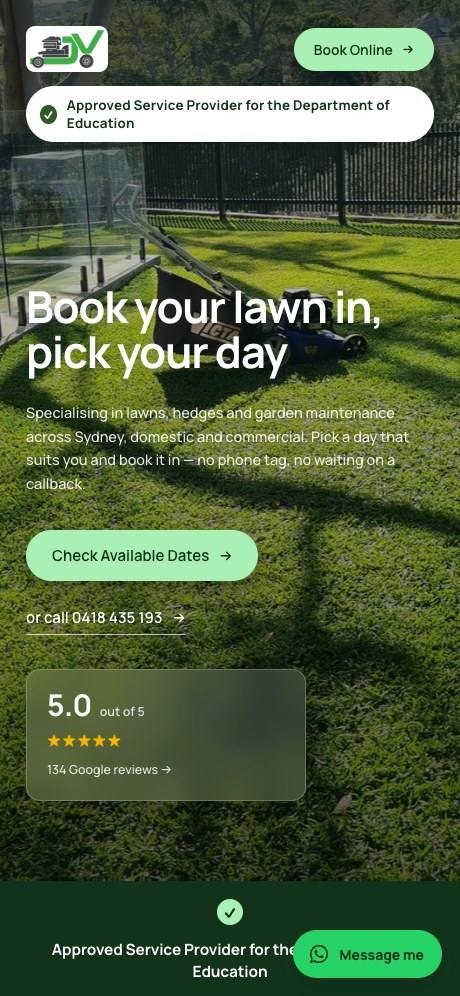
It is not the place for your full history or a paragraph about your values. It is a signpost to the other pages.
Why does each service need its own page?
Because people search for one thing at a time, and Google ranks pages, not websites. Someone looking for "alarm installation" wants a page about alarm installation. A general services page with twelve bullet points is a weak answer to all twelve searches.
Google's SEO Starter Guide says a good title is unique to the page and accurately describes its contents. You can only write that title if the page is about one thing.
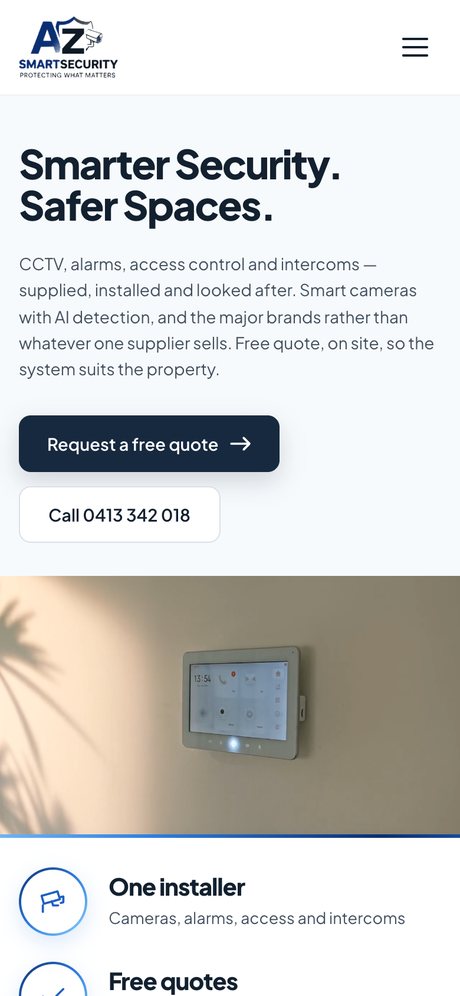
A-Z SmartSecurity, a security installer whose site we built, is a clear example. CCTV, alarms, access control and intercoms each have their own page, and each page leads to a quote request. A customer who searched for intercoms lands on intercoms.
On each service page, cover what the job involves, who it suits, what affects the price, photos of that work, and how to book or ask for a quote. If you sell products, the equivalent is a page for each product group.
What goes on an about page?
The things a customer wants to know before letting you into their house or trusting you with their money: who runs the business, how long you have been doing this kind of work, what you are qualified or licensed to do, and where you are based. A real photo of you or the team does more than any stock image.
Keep it honest and specific. "Registered electrician, based in Whanganui, family-run" is more convincing than a paragraph of adjectives. If you belong to a trade body, such as Master Builders or Master Plumbers, say so here.
What should the contact page include?
- A phone number that dials when tapped.
- An email address or a short form. Ask only for what you need to reply.
- The areas you cover, or your address and a map if customers visit.
- Your hours, including whether you take after-hours calls.
- How quickly people can expect to hear back.
If you sell online, the law adds something. The Commerce Commission says that if you sell goods or services online and you are in trade, you must make that clear to buyers, so they know the Fair Trading Act and Consumer Guarantees Act apply. A proper business name and contact details on the site are part of doing that.
Do I need a privacy policy on a New Zealand website?
If your site collects personal information, you should have a privacy statement, and nearly every site does collect it: a contact form takes a name, an email address and often a phone number.
The Privacy Act 2020 requires you to tell people when you collect their information, why, what it will be used for and who will see it. The Privacy Commissioner explains that a privacy statement is how most organisations meet that requirement, and that it should also tell people they can ask to see and correct what you hold.
You do not need a lawyer for a simple one. The Office of the Privacy Commissioner has a free tool, Priv-o-matic, that builds a basic statement from a few questions. Make sure the result matches what your site actually does, including any analytics or advertising tools it uses. This is general information, not legal advice.
Do I need terms and conditions?
For a site that only describes your services, usually not as a separate page, though your normal terms of trade should be available somewhere.
For a site that sells, yes. The Commerce Commission expects the terms of an online sale, covering price, delivery, returns and warranties, to be clear and easy to find, and says that important conditions should not be buried in the fine print. In practice that means a delivery and returns page linked from the footer and from the checkout, with delivery costs shown before the customer pays.
Should I have a page for each town or suburb?
Only where you can say something real. A page for each main area you serve, with work you have done there, can help you show up in that area. A stack of pages that differ only in the place name will not, and Google may treat them as spam.
If you work across one city, list the suburbs on your service pages and contact page instead. Our guide to local SEO for tradies goes into this.
What about a blog, an FAQ or a gallery?
Each is worth adding when you have the material, and worth leaving out when you do not.
- Past work or gallery. Worth it for any trade where the result is visible. Real photos, labelled with what the job was.
- Reviews. A few real ones on the home page and service pages work harder than a separate page nobody visits.
- FAQ. Put the questions on the page they relate to. Pricing questions belong on the service page.
- Blog or news. Useful if you will actually write answers to questions customers ask. An empty blog with one post from two years ago looks worse than none. If you would write the answers but not manage the publishing, that is what our business blog add-on is for.
How many pages is enough?
For most small businesses, five to ten at launch: home, three to six services, about, contact and privacy. That is why our own website plan starts at up to five pages; it is enough for a business with a handful of services to do the job properly.
More pages cost more to build and to keep accurate. Our guide to what a website costs in NZ shows how page count affects the price. Add a page when you can name the search it is for or the question it answers.
What does every page need so Google can find it?
Whatever the page is, the same handful of basics apply. They all come from Google's own starter guide:
- a title that is unique to the page and says what it is about;
- a short description written for a person deciding whether to click;
- one main heading, with subheadings that break the page up;
- a web address made of plain words, such as /heat-pump-installation;
- images with a short description of what they show;
- links to and from your other pages, with link text that says where it goes.
None of this is difficult. It is just easy to skip when you are building the site yourself, which is one of the differences we cover in website builder vs web designer.