How to sing with auto-tune: a beginner's guide
To sing with auto-tune, set the key of your song first, choose how strong you want the effect, and then sing clearly and as close to each note as you can. Auto-tune corrects pitch. It does not fix timing, tone or words you mumbled, so the better you sing into it, the better it sounds. With a live auto-tune app such as Singium you can hear the effect as you sing, which is the fastest way to learn how it responds to your voice.
- Pick the key of the song first, then decide how strong you want the effect
- Sing clearly and close to the note, because auto-tune corrects pitch, not tone or timing
- Practise with the effect live, record over a beat, then export
What does auto-tune actually do to your voice?
It listens for the note you are singing, finds the nearest note that belongs to the song's key, and moves your voice onto it. That is all.
| Auto-tune changes | Auto-tune does not change |
|---|---|
| Pitch that is slightly sharp or flat | Timing |
| How quickly you arrive on a note | The tone of your voice |
| Wobble on held notes, if set strongly | Breath control |
| Words you did not sing clearly | |
| A note that is wildly wrong |
That last row matters. If you are closer to the wrong note than the right one, auto-tune will confidently move you to the wrong one.
How do you choose the right key?
The key is the set of notes a song is built from. Auto-tune needs it so that it knows which notes are allowed.
- If you are singing over a beat, use the key of the beat. Producers often put it in the title or description.
- If you are singing a known song, look the key up.
- If you do not know, let the app find it. Singium finds your key automatically.
Get this wrong and nothing else will save you. A voice being pulled to notes outside the song is the main reason auto-tune sounds bad.
How strong should the effect be?
Natural
- Slow correction
- Listeners may not notice it
- Good for ballads and practice
In between
- Clearly polished
- Still sounds human
- A good default
Hard
- Instant correction
- The well-known stepped sound
- A style, used on purpose
There is no correct answer, only a style. Start in the middle and move towards whichever end suits the song. Our guide to auto-tune without the chipmunk or robot sound explains what each control is doing.
How should you sing differently with auto-tune?
- Aim for the centre of each note. Small corrections sound clean. Large ones sound processed.
- Hold notes steady if you want a natural result. Auto-tune reacts to every wobble.
- Slide deliberately if you want the hard effect. A slow slide through several notes becomes a run of steps.
- Pronounce clearly. Consonants give the rhythm, and auto-tune will not add them for you.
- Keep a steady distance from the microphone.
- Warm up. A tired voice wanders in pitch, and you will hear the tuning working.
How do you practise with live auto-tune?
Hearing the tuned voice as you sing teaches you faster than listening back afterwards, because you can adjust mid-phrase.
In Singium, plug your phone into a speaker, or use wired headphones, and sing. Auto-tune is applied as you go. Bluetooth works, with a little lag, so use a cable if the delay distracts you.
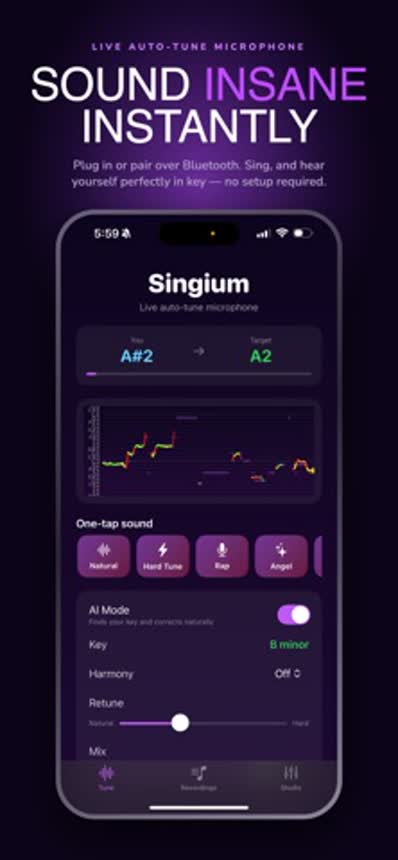
Watch which notes need the biggest correction. Those are the ones to practise without the effect. Our guide to live auto-tune apps covers the setup in detail.
How do you record a song with auto-tune on your phone?
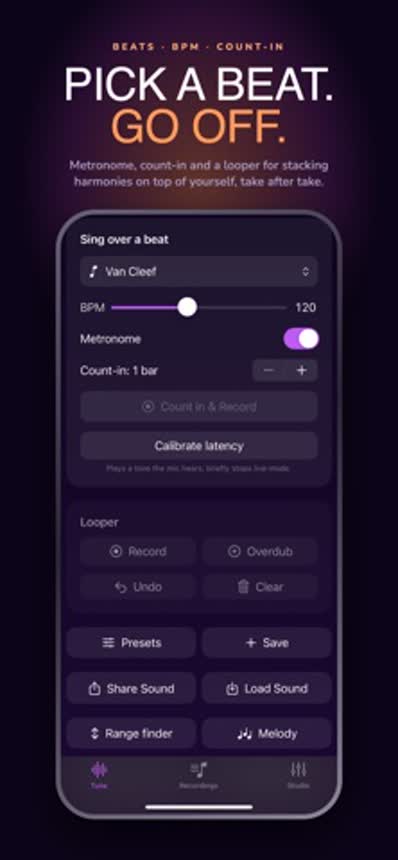
Singium is an auto-tune singing app and full music studio in your pocket, so the whole thing can be done in one app.
Beat
Make your own beat in the beats console.
Tune
Set the key and adjust the auto-tune effects.
Record
Sing your vocals. Do several takes.
Export
Save the finished song and share it.
- Record in a quiet room, close to the phone.
- Wear headphones so the beat does not leak into your vocal.
- Do more takes than you think you need.
- Listen back the next day before you share it.
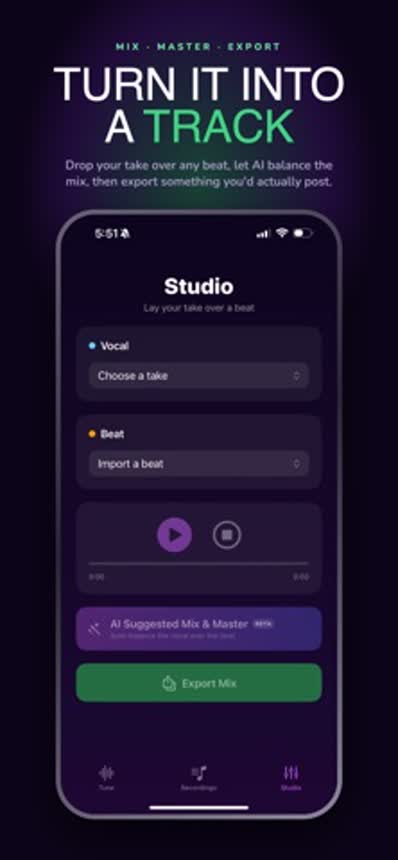
Exporting a finished song is free. Free users see a short ad when the export finishes, and premium removes it.
Is using auto-tune cheating?
No more than a guitarist using an amplifier. It is a tool, and it has been part of popular music for decades, both as invisible polish and as an obvious effect.
It is also a good practice aid. Singing with live tuning shows you exactly which notes you miss and by how much, which is hard to hear on your own.
Is Singium free?
Yes. Singium is free to download on the App Store and Google Play. Premium is a monthly subscription that removes ads, including the short ad shown when an export finishes.