Live auto-tune apps: how to sing with auto-tune in real time
A live auto-tune app corrects the pitch of your voice while you are singing, so what comes out of the speaker is already in tune. That is different from tuning a recording afterwards. Singium does it: plug your phone into a speaker and sing, and auto-tune is applied as you go. Bluetooth works too, with a little lag. This guide covers how live auto-tune works, how to set it up so it feels instant, and what to expect.
- A live auto-tune app corrects your pitch as you sing, so you hear the tuned voice straight away
- For the tightest sound use a wired speaker or wired headphones, because Bluetooth adds a little lag
- Singium does live auto-tune and is free on iPhone and Android
What is live auto-tune?
Auto-tune listens to the note you are singing, works out the nearest note in the key of the song, and shifts your voice onto it. "Live" or "real time" means it does that fast enough for you to hear the result as you sing, not after you stop.
Most phone apps that say auto-tune work on a recording: you sing, the app processes it, you listen back. A live app is closer to an effects pedal. You can perform with it.
Tuning a recording
- Sing first, hear it later
- Good for fixing a finished take
- No use for performing
Live auto-tune
- Hear the tuned voice as you sing
- Good for practice, performing and writing
- Needs a low-lag setup
How does Singium do live auto-tune?
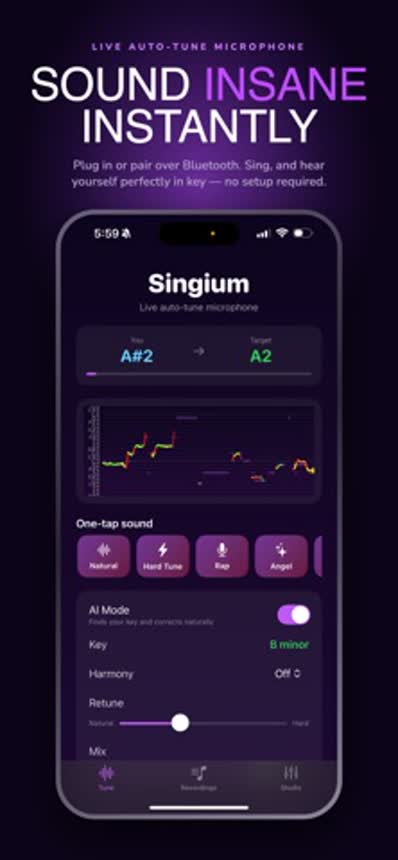
Singium is an auto-tune singing app and full music studio in your pocket. For live use it is simple: plug your phone into a speaker and sing. Auto-tune is applied as you go.
It finds your key automatically and corrects your pitch as you sing, and you can adjust the auto-tune effects to taste, from subtle to the hard, obvious effect.
How do you set up your phone and speaker?
Connect
Plug the phone into a speaker with a cable, or put on wired headphones.
Open Singium
Go to the live auto-tune screen.
Check the key
Let the app find it, or set it to the key of your song.
Sing
Hold the phone like a microphone and sing.
- Keep the speaker away from the phone's microphone, and start with the volume low. A microphone pointed at its own speaker will squeal.
- Sing close to the phone. The app needs to hear you clearly over the room.
- Headphones are the cleanest way to practise, because the microphone hears only your voice.
Why does Bluetooth cause lag?
Because Bluetooth audio is compressed, sent and unpacked before you hear it, and each step takes time. For listening to music you never notice. When you are hearing your own voice, even a short delay feels like an echo and throws your timing off.
| Connection | Lag | Best for |
|---|---|---|
| Wired speaker | Lowest | Performing and singing along |
| Wired headphones | Lowest | Practice and recording |
| Bluetooth speaker or earbuds | A little | Casual use, where convenience wins |
Singium works over Bluetooth, with a little lag. For the tightest feel, use a cable. That is true of every live vocal app, not just ours.
Will it sound natural or robotic?
That is your choice. The classic, obvious auto-tune sound comes from correcting the pitch instantly, so the voice jumps from note to note. A gentler setting lets the voice glide, and most listeners will not hear it working.
The other thing people worry about is sounding like a chipmunk when the pitch is shifted a long way. Singium has anti-chipmunk voice control for that: it keeps the natural character of your voice, so it still sounds like you, and you can hear the effect live as you sing. We explain both in auto-tune without the chipmunk voice.
What can you do with a live auto-tune app?
- Practise a song and hear where your pitch drifts.
- Sing along to a backing track at home.
- Try out melody ideas with the effect on, the way a lot of modern songs are written.
- Perform for friends through a speaker.
- Record the take once you like it.
That last one is where the rest of Singium comes in.
What else is in Singium?
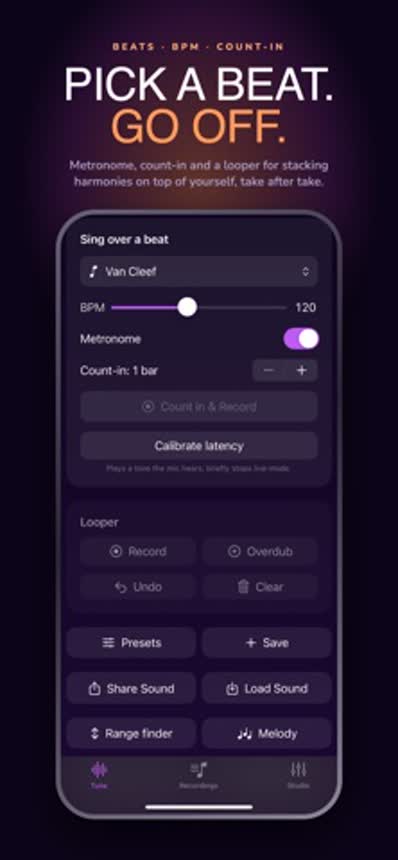
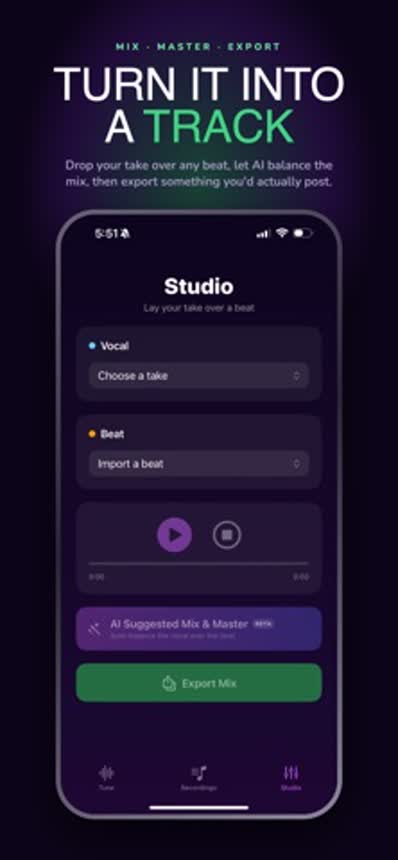
- Studio and beats console. Make your own beats, adjust the auto-tune effects and record your vocals.
- Export your songs when they are finished. Exporting is free; free users see a short ad when an export finishes, and premium removes it.
- Anti-chipmunk voice control, described above.
If you are new to the effect, start with how to sing with auto-tune.
Does live auto-tune work on both iPhone and Android?
Singium is on both: the App Store for iPhone and Google Play for Android. The setup advice is the same on either. Use a cable where you can, keep the speaker away from the microphone, and let the app find the key before you start.
One practical note for newer phones without a headphone socket: you will need the adapter that fits your phone's charging port to plug in a wired speaker or wired headphones.
Is Singium free?
Yes. Singium is free to download on the App Store and Google Play. Premium is a monthly subscription that removes ads, including the short ad shown when an export finishes.